(A tutorial for Corel Photo Paint)
First start off with opening the picture you want to put a border on, in Photo Paint.
I chose this lovley picture
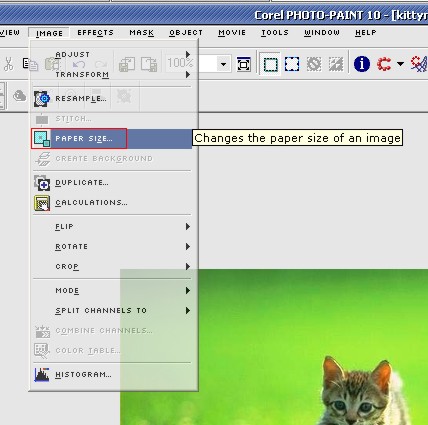
now click Image � Paper Size
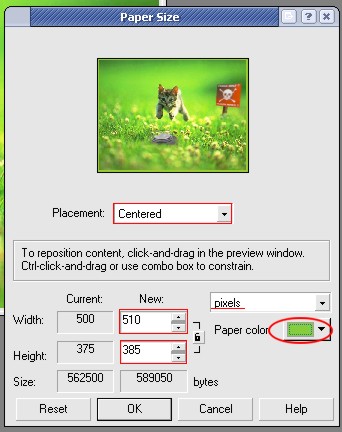
Now on the paper size dialog that pops up make sure your placement is centered and it also says pixels insted of inches or something else. Also change the paper color to what ever color you want your border to be. I choose a nice lime green. now under where it says new ad twice as much as you want your border to be. IE: if I wanted a 5 pixel border i would add 10 to both the hight and the width. (Note: you can only use even numbers or else you have the same amount of border on all sides)
After that click "OK" and volia! you have a border.
You can also create more complex borders by going through this prosess more than once only changeing the colors and sizes.